Stop doing the same 10 clicks every day.
PeasyKit is an After Effects panel with 60+ one-click tools. It's made for motion designers and editors who make social videos, product ads and YouTube content.
7 tabs, everything in one place
-
Layout — align, center in comp, 9-point anchor, distribute, grid, circle
-
Create — null (+ parent), adjustment layer, background, camera, shapes
-
Animate — Easy Ease, overshoot pop, slam, stagger, loop, wiggle and bounce (with sliders)
-
Text — 22 text animations (in, out or both · letters, words or lines) + animated highlighter
-
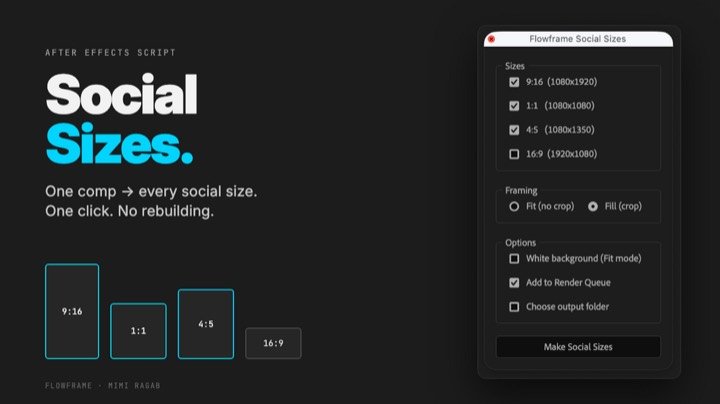
Product Ads — Product Ad Starter (Hook → Show → Ask), price counter ($99 → $49), sale badge, carousel, social sizes (9:16, 1:1, 4:5, 16:9)
-
Elements — gradient & glow backgrounds, lower third, callout, map pin, subscribe button + My Library: browse your own folders of clips and images and add them with one click
-
Tools — find any effect by name and apply it in one click · organize your project · find unused footage
Why you'll like it
-
One click, one Undo. Every tool is one step in the Undo history.
-
Starts at your playhead. Animations go exactly where you are.
-
Your files are safe. PeasyKit never deletes anything.
-
Editable. Wiggle, bounce and price counters use sliders you can change later.
-
Light and fast. No plugins. Internet only once, to activate your key.
Requirements
- Adobe After Effects 2020 or newer (tested on After Effects 2027)
- macOS ✅ (tested) · Windows: not tested yet
- One license key per purchase · works on up to 3 computers
Install (2 minutes)
- Download the free ZXP Installer (aescripts).
- Drag PeasyKit.zxp into it.
- Open After Effects → Window › Extensions › PeasyKit.
- Paste the license key from your receipt and click Activate.
No-install option inside the download: PeasyKit_ScriptUI.zip (File › Scripts › Run Script File).
Try it free first
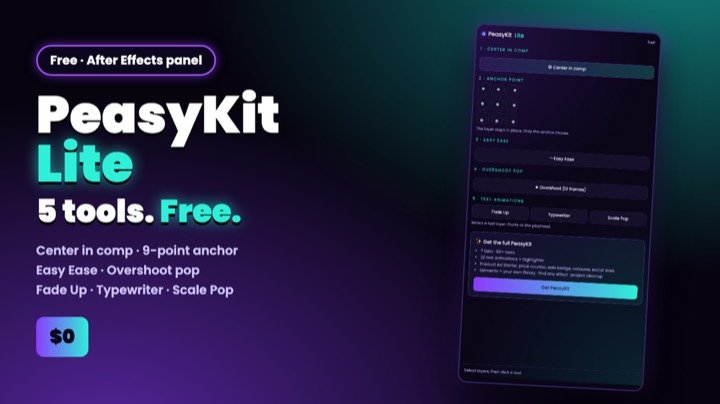
PeasyKit Lite has 5 tools for free: Get PeasyKit Lite
⭐ Want every template I make?
All 18 of my After Effects template packs in one bundle. A $383 value for $99. Get the bundle
Made by Mimi Ragab · Easy Peasy For Tutorials